How to get the PRO Code 🚀
Unlock all premium features of GridFace permanently! Just follow these simple steps:
Step 1: Locate Your Watch face ID
After the 2-hour free trial ends, your watch face will display a "Trial Ended" message along with your unique Watch face ID (highlighted in the red box).
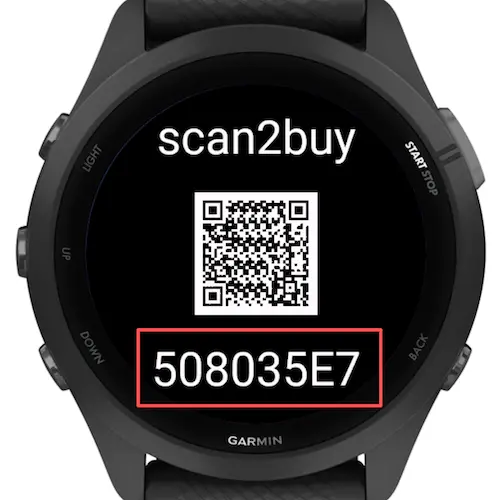
💡 Quick Tip: If you want to get your watch face ID before the 2-hour trial expires, simply open the watch face Settings on your phone, enter 88 in the "Activation Code" field, and save. Your Watch face ID will appear on the watch screen immediately.
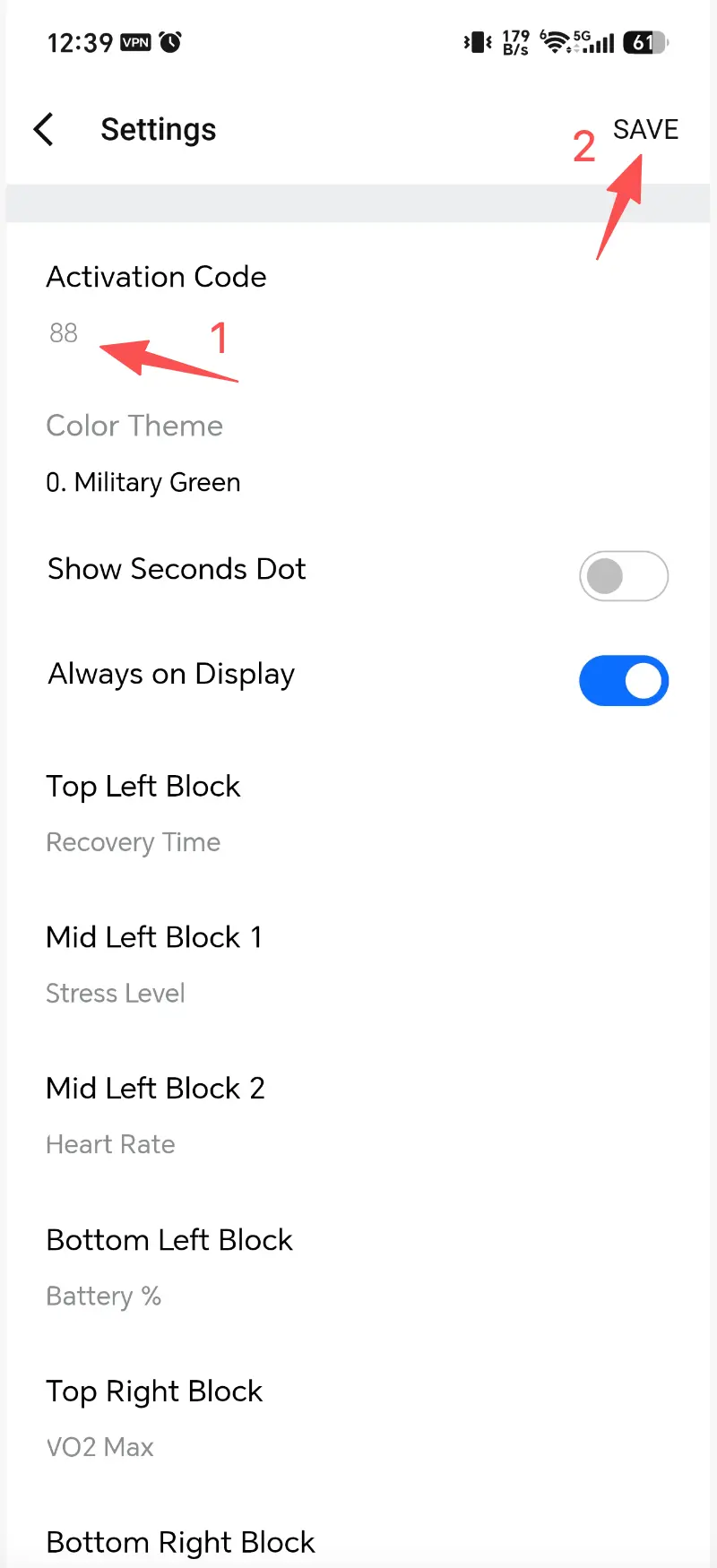
Step 2: Secure Payment via Stripe
Use your smartphone's camera or a web browser to scan the QR code displayed on your watch. You will be redirected to our secure Stripe checkout page. We support Credit Card, Apple Pay, and Google Pay.
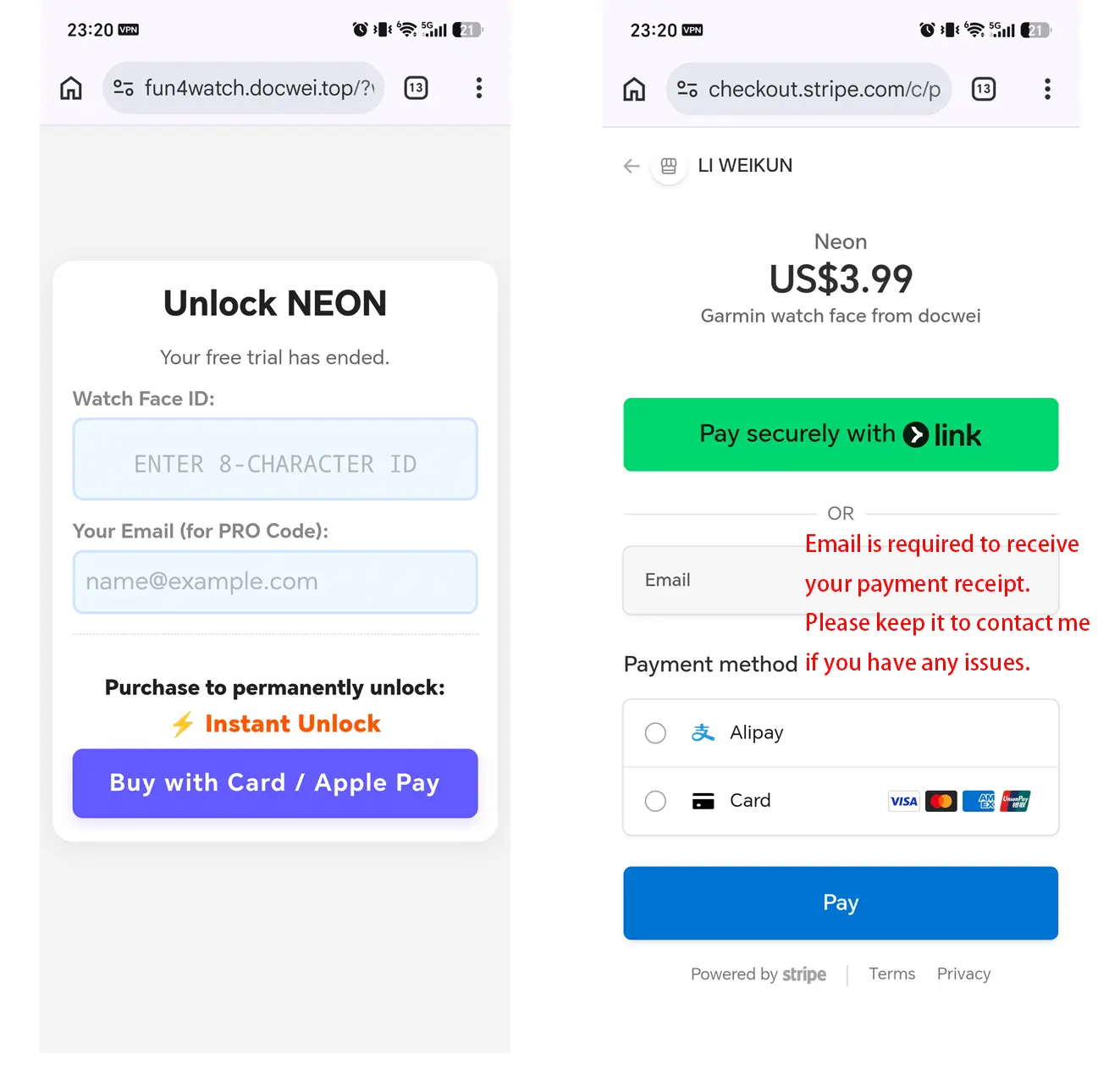
Step 3: Enter Your PRO Code
After a successful payment, you will receive a unique Activation Code (PRO Code). Enter this code into the "Activation Code" field in the watch face Settings and save to unlock permanently.
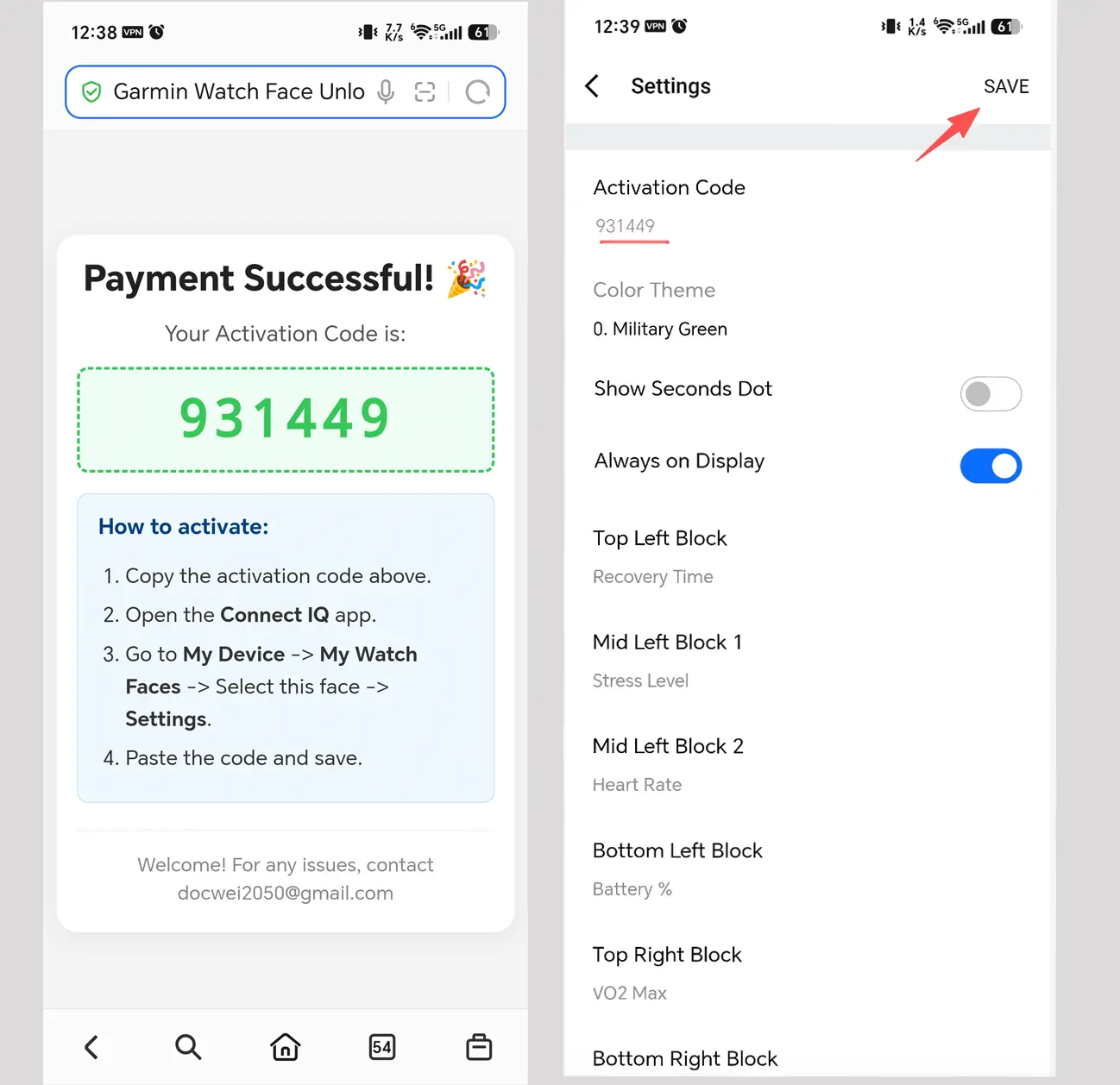
Step 4: Check your confirmation [You will receive two emails]
After a successful payment, please check your inbox for two separate emails:
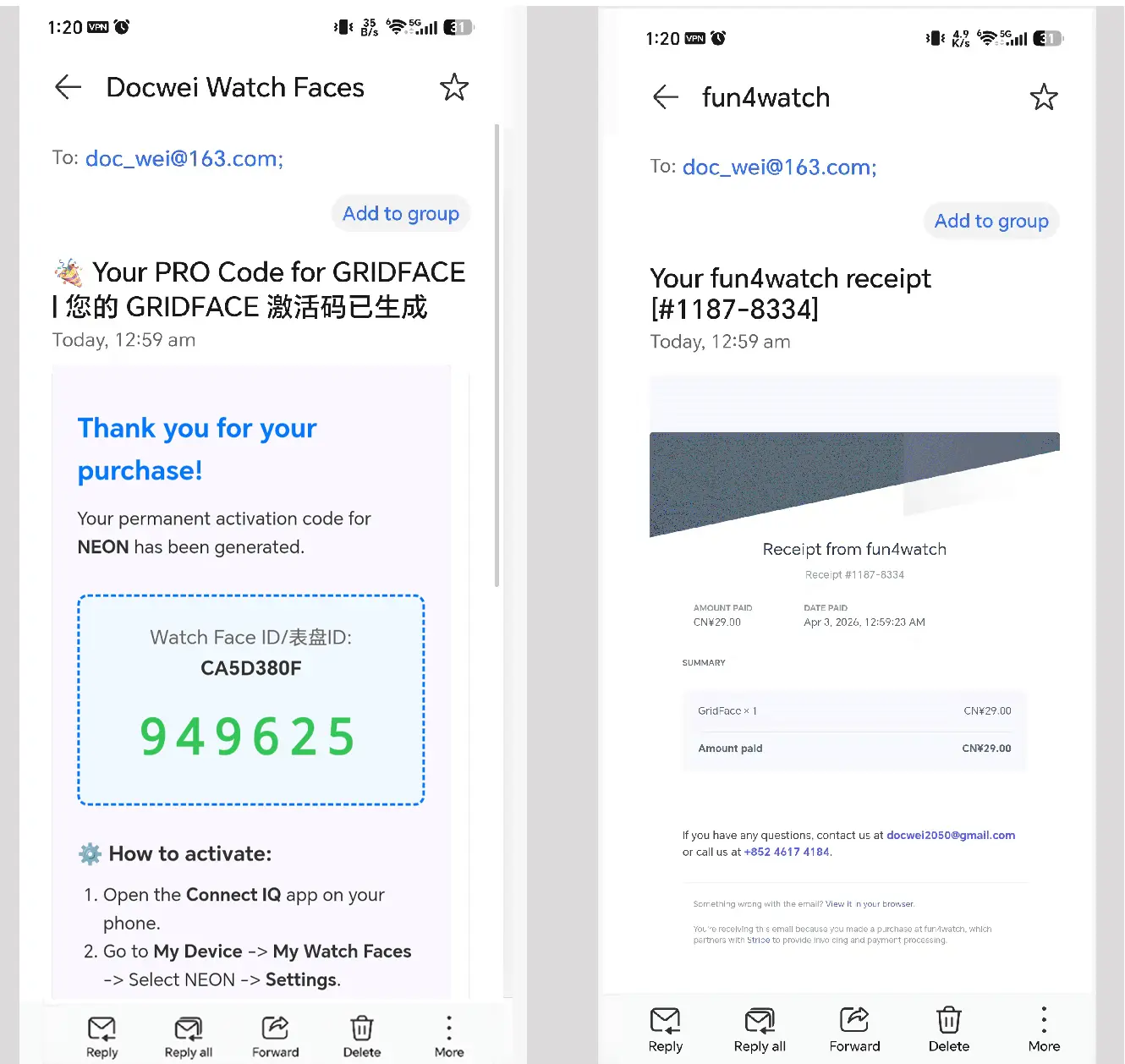
Activation Details: Includes your Watch Face Name, Watch face ID, and the 6-digit Activation Code. It also provides a quick guide on how to input the code. Payment Receipt: An automated receipt sent by Stripe for your purchase.
Note: If you don't see the emails within a few minutes, please check your Spam or Junk folder.
Step 5: Need Help?
If you have any questions or need assistance, feel free to reach out:
- Email: docwei2050@gmail.com
- Xiaohongshu / RED:
yuan8wan(for users in China)